
A guest portal that does the work for you
Every guest gets a personal mini-site — branded with your property, in their own language, with check-in, ID verification, the apartment guide, and local recommendations all in one place.
See it in action — no sign-up needed
Open the demo portal and see exactly what your guests see: self check-in, ID verification, key codes, concierge — with sample data, one click away.
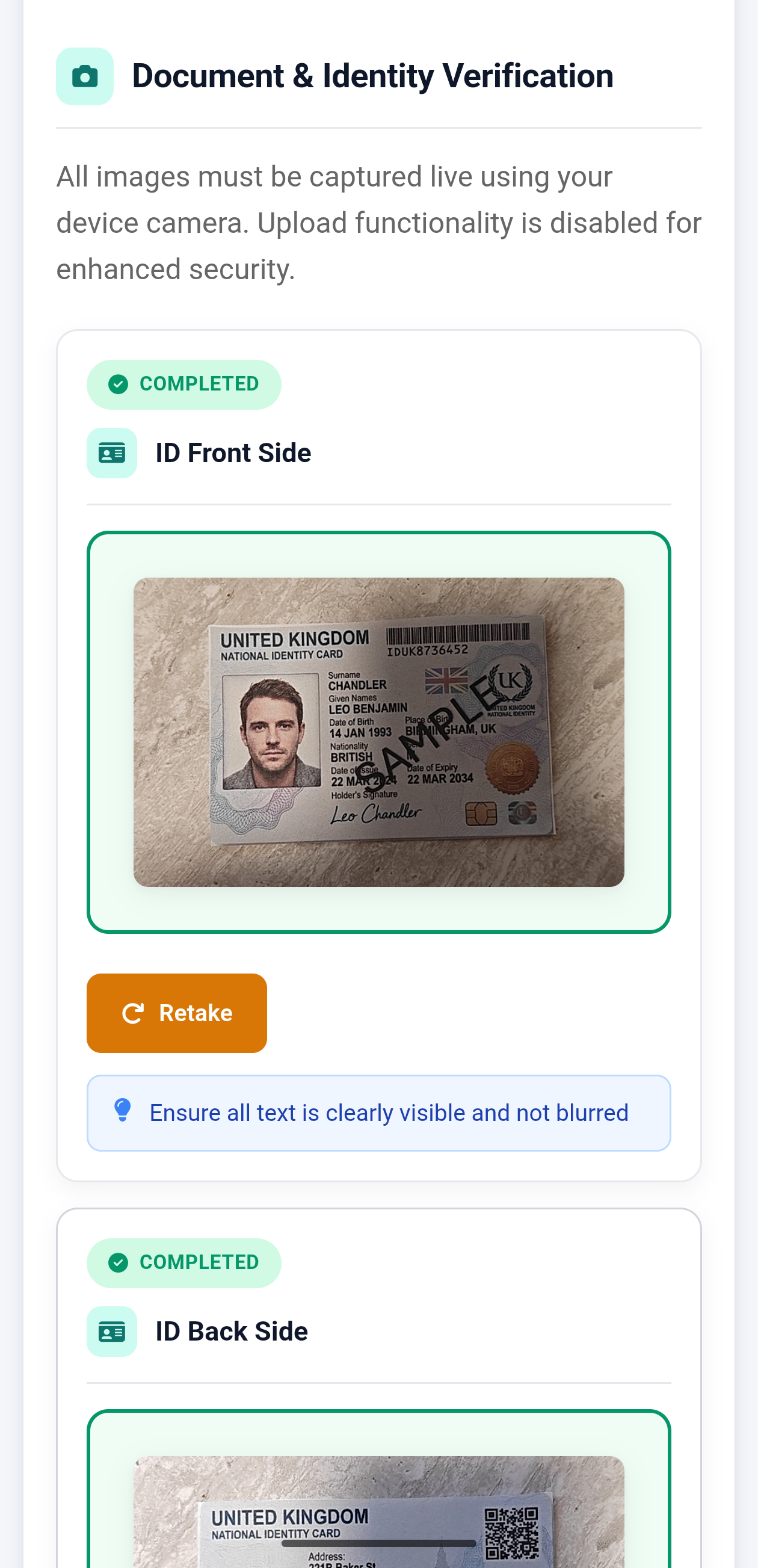
Frictionless ID verification
Guests upload their ID, fill in their details and take a quick selfie before they even step inside. The portal walks them through it on their phone — no app to install. You see verified guests on the dashboard the moment the last one submits, and an email notification keeps you in the loop.
- Front + back + selfie capture, all in the browser
- Auto-collects nights, IFA tourist tax and guest count
- Email alert when the last guest of a booking is verified
Self check-in, without the back-and-forth
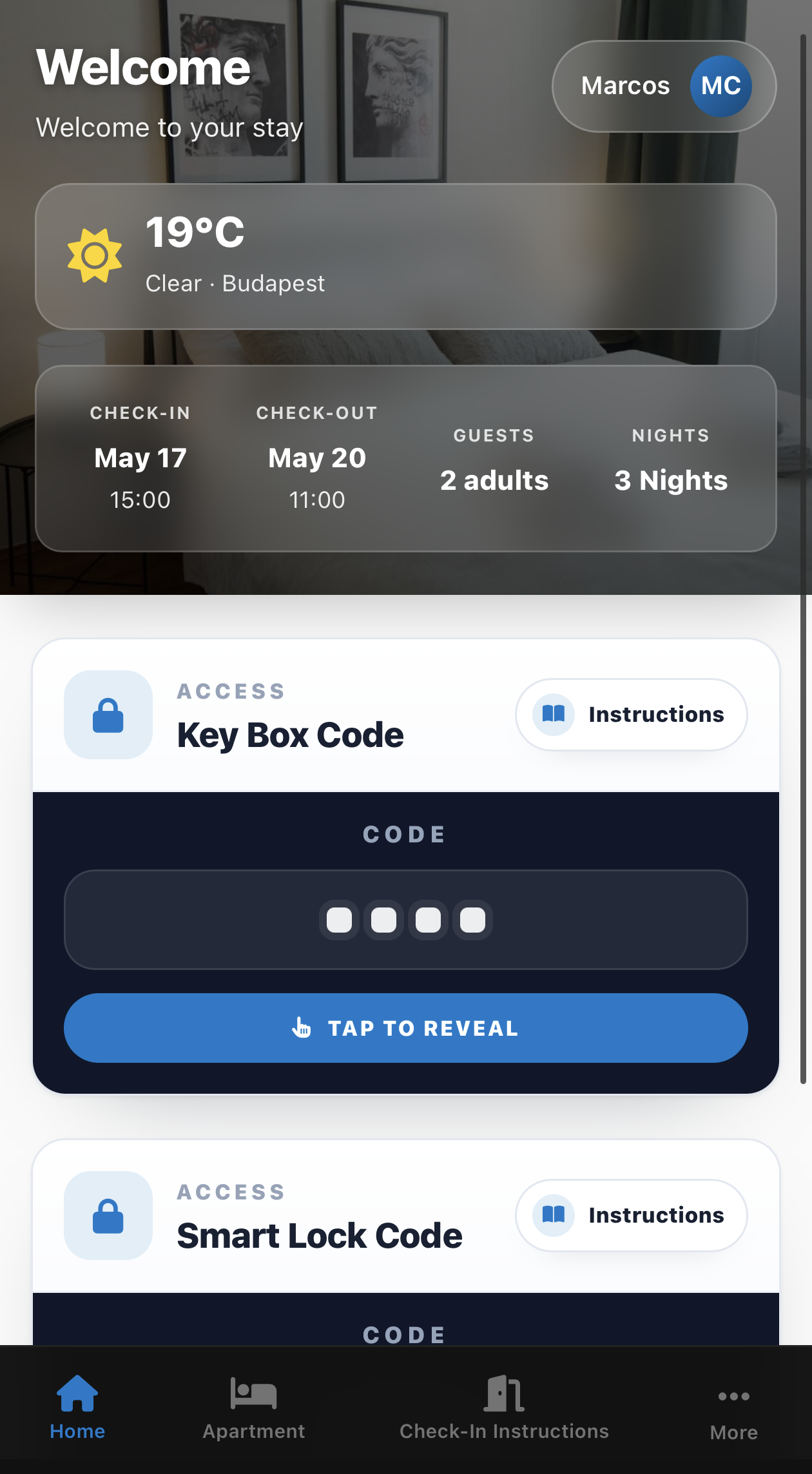
Smart-lock codes, door instructions, parking notes, and the building map — surfaced exactly when each guest needs them. Time-released access codes mean nothing leaks before check-in, and guests stop messaging you for the WiFi password.
- Personalised access codes per reservation
- Smart-lock and parking instruction toggles per property
- Apartment guide with WiFi, amenities and house rules
Local concierge in their pocket
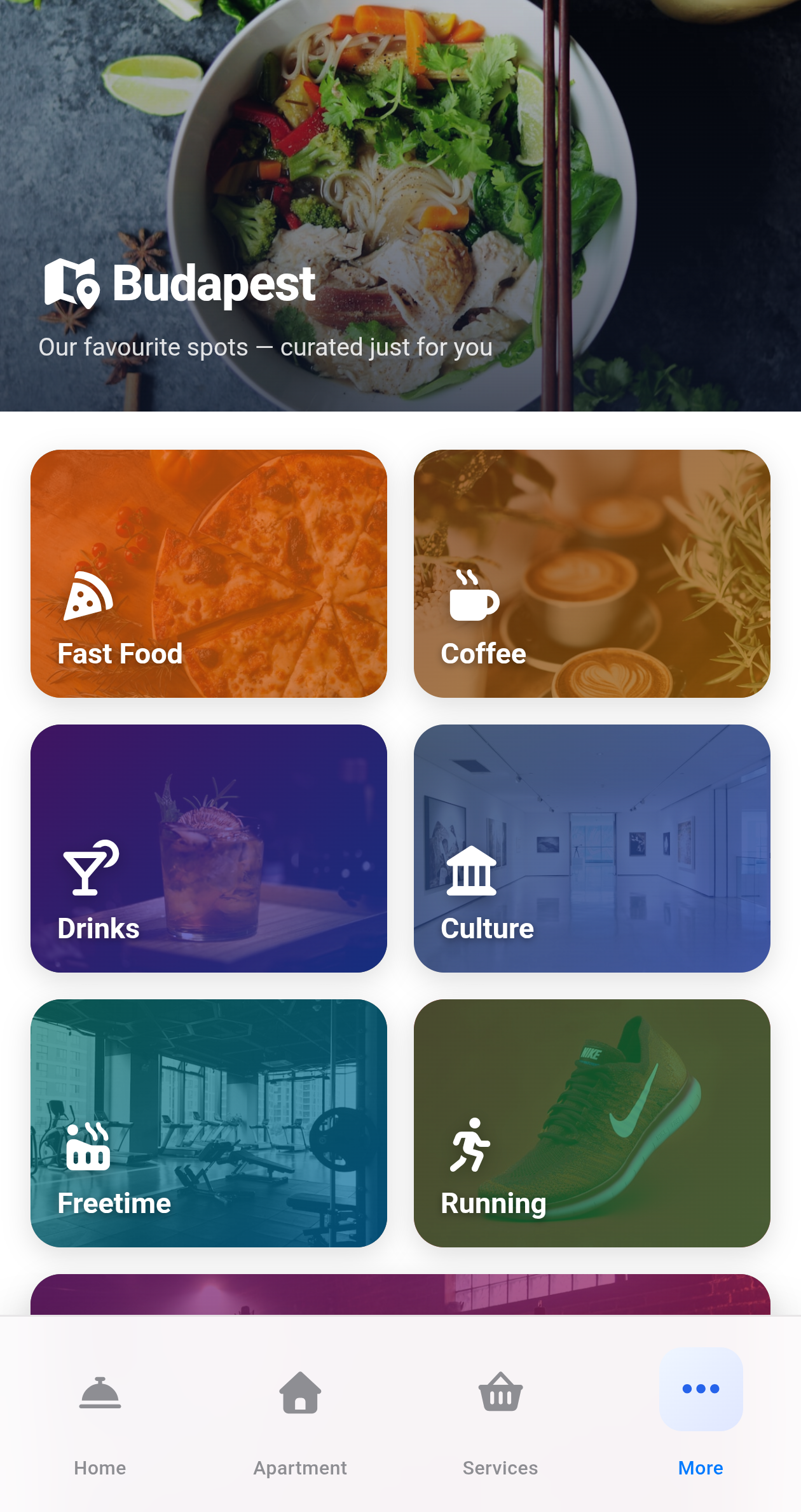
Recommend restaurants, top sights, transit options and rideshares. Offer upsells like early check-in, late checkout, airport transfer, or laundry — guests book them with one tap and you see the request on the operations board.
- Curated city guide with Apple Maps / Google Maps deep-links
- Optional paid services (transfers, late checkout, etc.)
- Live weather + travel-time hints for the property's area
Yours, not ours
The portal carries your colours, your logo, and a property-specific URL. Guests see "GR8 Garden" — not AllureStay. Hungarian-speaking guests get Hungarian, everyone else gets English, automatically.
- White-label branding per property
- Automatic EN / HU language detection
- Clean, deep-linked URLs for the host to share
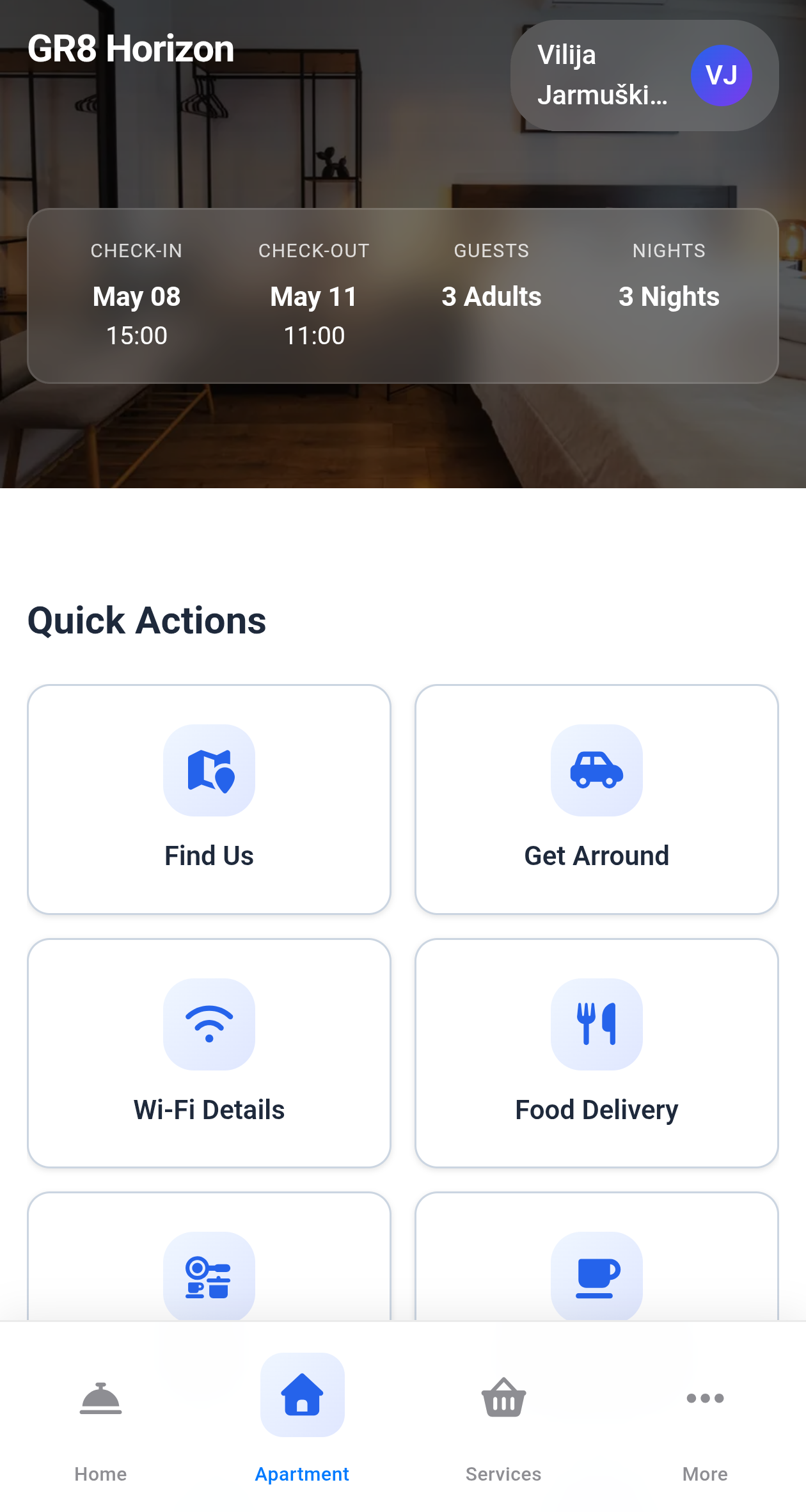
Build the portal like Lego, not like code
Every screen your guest sees is composed in a visual editor. Drag a block, fill in the fields, save — your changes are live at portal.allurestay.com the moment you blink.
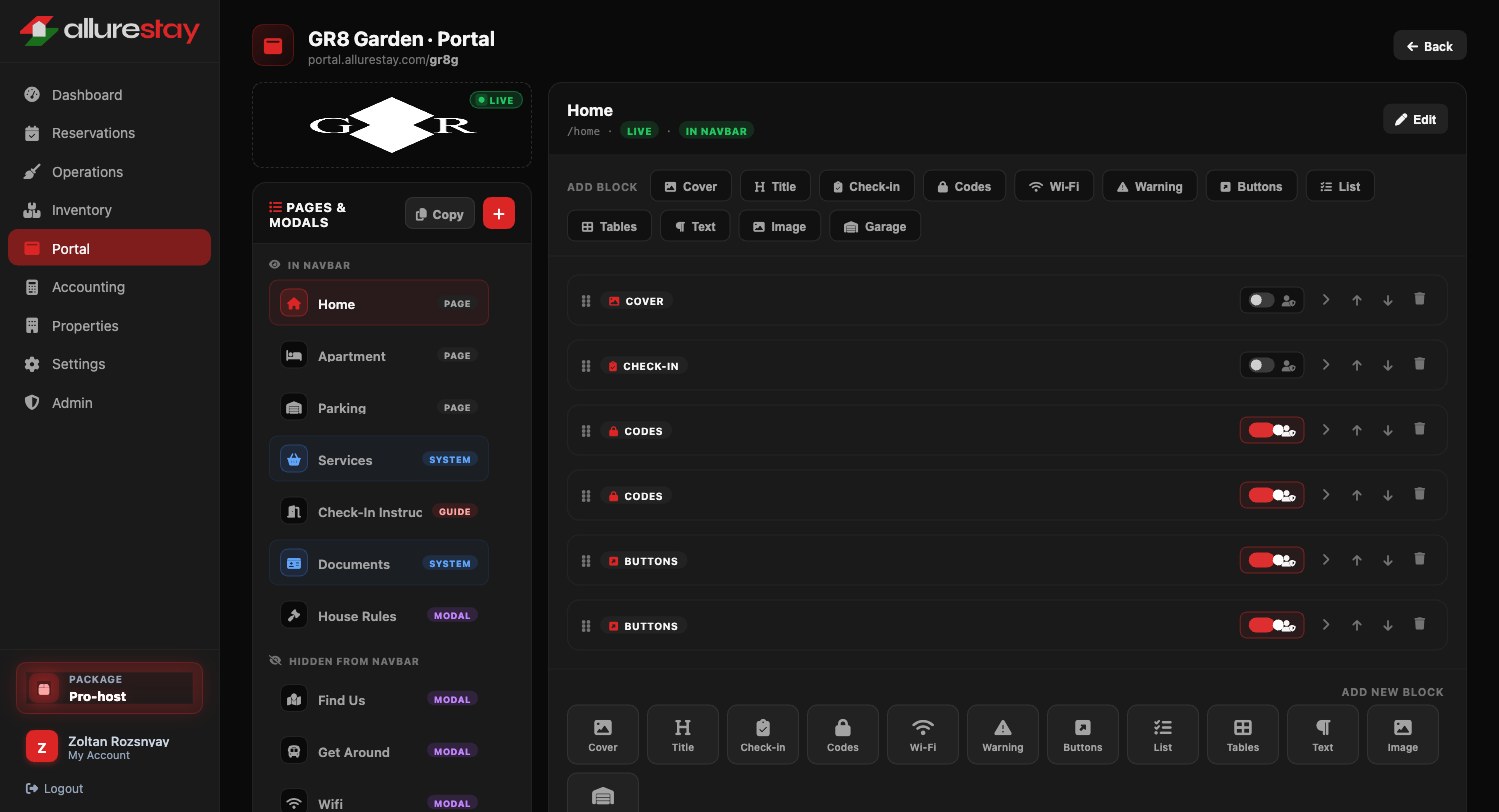
Editing the Home page of GR8 Garden's portal — block list on the right, pages and modals on the left. Toggle visibility, reorder, or hide a block from guests who don't need it.
A library of purpose-built blocks
Cover, Check-in, Codes, Wi-Fi, Warning, Buttons, Lists, Tables, Text, Image, Garage. Each one knows what it is — so the WiFi block already has SSID and password fields, not a blank text area.
Pages, modals, and Stories-style guides
Treat each block as a page in the nav, a modal that opens on tap, or a slide in a swipe-through guide. Switch a page type with one click — the same content stays.
Per-block visibility windows
Hide a block until 2 PM on the check-in day. Disable parking instructions for reservations that didn't book a car. Reveal house rules only after the deposit is paid. All without duplicating content.
Live URL, no deploy step
Each property gets its own short slug — portal.allurestay.com/gr8g, /gr8h. Save and the guest's next refresh shows the change. There is no build, no preview environment, no separate publish button.
Give every guest a five-star arrival.
See the full platform — properties, billing, cleaning, reporting — all integrated with the portal you just saw.